A network problem rarely announces itself politely. It shows up when the front desk cannot print a contract, the accounting system stalls, Wi-Fi drops during a client meeting, or a ransomware alert appears on a shared computer. Small office network installation services are not just about plugging in routers and running cables. They are about building the technology foundation that lets your Long Island business answer calls, protect data, serve customers, and keep producing without constant interruptions.
For a small business, a poorly planned network creates expensive distractions. Staff lose time troubleshooting, customers see delays, and owners end up making emergency decisions under pressure. Bad Move! The right installation starts with how your office actually works, then puts the correct equipment, security, wiring, and support plan in place.
What a Proper Small Office Network Installation Includes
A professional office network is a working system, not a pile of devices. Your computers, printers, phones, servers, cloud applications, internet connection, cameras, guest Wi-Fi, and backup tools need to communicate reliably without exposing sensitive information.
The first step is a site assessment. An experienced technician looks at your office layout, wall construction, number of users, internet service, existing devices, and the applications your team depends on. A five-person professional practice with cloud software has different needs than a retail location running point-of-sale terminals, security cameras, and guest Wi-Fi. Buying whatever is on sale and hoping it covers the office is not a network strategy.
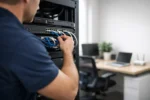
From there, the installation may include structured Ethernet cabling, a business-grade router and firewall, managed switches, properly placed wireless access points, network racks, battery backup protection, printer configuration, and secure connections for authorized remote users. Each piece must be configured as part of the whole system.
The goal is simple: employees should be able to work without thinking about the network, while management knows the network is being actively protected and can be supported when something changes.
Wi-Fi That Reaches the Places Your Team Works
Consumer Wi-Fi equipment can be fine for a small home. It is often the wrong choice for an office with multiple users, dense walls, conference rooms, wireless printers, mobile devices, and business-critical cloud applications. Coverage may look acceptable near the router but fail at the reception desk, stock room, or far end of the building.
Professional installation considers signal strength, interference, access point placement, and capacity. It also separates staff traffic from guest traffic. Visitors can access the internet without gaining a path to business computers, files, or payment systems. That separation matters, especially for offices that handle customer records, financial data, health information, or proprietary documents.
Wired Connections Where Reliability Matters Most
Wireless is convenient. Wired connections are still the right call for many critical devices. Desktops used for large files, servers, network storage, point-of-sale equipment, IP phones, video editing stations, and office printers often perform better with Ethernet cabling.
This is a practical trade-off, not an all-or-nothing decision. A modern office commonly uses both: wired infrastructure for fixed, high-priority equipment and secure Wi-Fi for laptops, tablets, mobile devices, and visitors. Proper cable runs also keep the office cleaner and easier to service than cords stretched across rooms or improvised adapters behind desks.
Security Must Be Built Into the Network
Cybersecurity is not a separate project you get around to later. Every computer connected to the internet creates a potential entry point. An office network should be designed to reduce that exposure from day one.
That includes a properly configured firewall, strong wireless encryption, unique credentials, secure administrator access, device updates, and segmentation between business systems and guest devices. Depending on your operations, it may also mean separating cameras, point-of-sale terminals, or other internet-connected equipment from employee computers.
A basic router with a default password is an invitation to trouble. So is one shared Wi-Fi password that former employees, vendors, and visitors may still know. Stop! Get the system configured correctly before a preventable breach, virus outbreak, or unauthorized login turns into downtime.
Security also depends on people and process. Staff need clear access rules, backup procedures, and a reliable point of contact when a suspicious email or system warning appears. Technology can block many threats, but quick action and knowledgeable support are what limit the damage when something gets through.
Plan for Growth Before the Office Gets Crowded
The cheapest network installation can become the most expensive when it has to be replaced six months later. A business may add employees, open another room, deploy a new phone system, install cameras, or move more work into cloud applications. If the original network was built with no room to expand, every change becomes a patchwork job.
A better plan leaves capacity in the switch, rack, cabling, wireless coverage, and power protection. That does not mean overspending on enterprise equipment your office will never use. It means making sensible decisions based on where the business is headed.
For example, a small law office may need secure file access and dependable conference room connectivity. A hospitality business may need separate guest and staff networks, coverage across public areas, and camera support. A design firm may need higher-speed wired connections for large media files. The equipment list changes, but the planning principle does not: build for real operations, not a generic checklist.
Avoid the Hidden Costs of DIY Network Setup
Many office owners can connect a router. The issue is what happens after that. Is the firewall actually configured? Are wireless access points positioned correctly? Is the printer available to the right users? Are backups protected from ransomware? Can a technician identify the problem quickly when the internet is working but the office systems are not?
DIY setups often create invisible problems that surface at the worst time. There may be overlapping Wi-Fi channels, old equipment slowing down the entire network, exposed remote access, mislabeled cables, or no documentation showing what connects where. When the person who originally set it up is unavailable, the business is left guessing.
Professional small office network installation services replace guesswork with an organized system. Equipment is selected for the job, installed cleanly, configured securely, tested under normal use, and documented for future support. That documentation saves time whenever you add a workstation, replace a device, change internet providers, or need to recover from an unexpected failure.
Questions to Ask Before Hiring a Network Installer
The right provider should ask questions before recommending hardware. Be cautious of anyone who quotes a complete solution without learning how many users you have, what applications you run, whether you need remote access, and where devices are located.
Ask who will handle the cabling, firewall configuration, Wi-Fi setup, printer and workstation connections, testing, and follow-up support. Find out whether the installer can help with virus removal, computer repair, data security, and ongoing maintenance after the initial project. One provider that takes ownership is often far more effective than several vendors pointing fingers at one another.
Local response matters, too. When your business is in Suffolk County, Nassau County, Ronkonkoma, or the surrounding Long Island area, waiting on a distant call center while your office is offline is not a serious support plan. You need technical people who can assess the issue, communicate clearly, and get the work moving again.
Get the Network Out of Your Way
VIA Media Group helps businesses put the right technology behind the work customers see. Whether your office needs a clean new network installation, stronger Wi-Fi coverage, secure device connections, or a rescue from an unreliable setup, the objective is the same: technology that works when your team needs it.
Do not wait for the next printer failure, security warning, or dead zone to force the decision. Put experienced hands on the network now, and give your staff a workplace where the computers, connections, and customer service can keep up with the business you are building.









