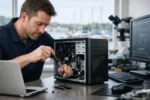
A frozen workstation at 9:05 a.m. is not a minor inconvenience. It can stop billing, delay customer calls, lock up scheduling, interrupt point-of-sale systems, and leave an entire office waiting for answers. When you need computer repair Long Island businesses can depend on, the goal is not simply to make a machine turn back on. The goal is to get your operation working, protected, and ready for the next workday.
Bad Move! Do not let a staff member keep clicking through strange pop-ups, restart a failing server repeatedly, or install random “fix-it” software from the internet. Those shortcuts can turn a manageable repair into lost files, security exposure, or a much longer outage. Stop! Get the problem diagnosed correctly and handled by professionals who understand how business technology fits together.
Computer Repair Long Island Companies Need Is Business-Critical
A business computer is connected to much more than email. It may hold customer records, accounting data, photos, proposals, passwords, shared folders, printers, cloud applications, cameras, and access to a company website. One failing laptop can affect one person. One network issue can affect everyone.
That is why effective repair begins with identifying the real point of failure. Is the computer slow because it is old, because its storage drive is failing, because the network is overloaded, or because malware is running in the background? Is a printer problem actually a printer problem, or is it a permissions, driver, Wi-Fi, or network configuration issue? Guessing wastes time. A proper diagnosis gets to the cause.
For Long Island offices, retail locations, professional practices, schools, hospitality properties, and service businesses, speed matters. But speed without care is not a solution. A technician should restore operations while protecting the files, accounts, and systems your team relies on.
The Problems That Demand a Professional Response
Some computer issues are obvious. A device will not start, a screen goes black, or a hard drive makes alarming noises. Others begin quietly: a computer takes ten minutes to open a file, employees are repeatedly asked to sign in, the internet drops during busy hours, or customers report suspicious emails from your company address.
Virus removal is one of the clearest examples of why business owners should not wait. Ransomware, phishing tools, browser hijackers, remote-access malware, and credential-stealing software can do more than slow down a machine. They can expose financial information, customer data, passwords, and company communications. Simply deleting a suspicious file does not prove the system is clean. The affected device must be inspected, threats removed, accounts reviewed, and the underlying weakness addressed.
Network problems require the same discipline. A disconnected workstation may be caused by a bad cable, a failed switch port, a wireless coverage issue, an IP conflict, aging hardware, or a larger configuration mistake. The right repair approach tests the environment instead of replacing equipment blindly.
Common issues that deserve prompt attention include:
- Computers that crash, freeze, overheat, or fail to boot
- Virus infections, suspicious pop-ups, hacked email, and ransomware warnings
- Slow systems caused by failing drives, limited memory, or unwanted software
- Network, Wi-Fi, printer, scanner, and shared-folder failures
- Data transfer, backup concerns, and new-computer setup
- Security gaps created by outdated software or poorly managed user access
The trade-off is simple: waiting may appear cheaper, but downtime and data risk quickly cost more than a proper repair.
Repair, Replace, or Upgrade? Make the Smart Call
Not every slow computer needs to be replaced. Many business systems can gain new life with a solid-state drive, more memory, operating system cleanup, updated drivers, and removal of unnecessary startup programs. That can be a cost-effective move when the equipment is otherwise dependable and still supports the software your staff needs.
On the other hand, forcing an old machine to stay in service can be the expensive choice. If the computer cannot run supported software, has recurring hardware failures, lacks adequate security capabilities, or costs employees time every day, replacement may be the better business decision. The right answer depends on the age of the hardware, the role it plays, and the cost of interruption.
A front-desk computer, for example, cannot be treated like an occasional home laptop. If it runs appointments, payments, and customer communications, reliability matters more than squeezing out another year of life. An informed recommendation should be based on your business use, not a one-size-fits-all sales pitch.
Protect the Data Before the Next Failure
The worst time to ask whether your files are backed up is after a drive fails or a ransomware message appears on screen. Backups need to be automatic, regularly checked, and separate enough from daily operations that an infection or local equipment failure cannot destroy everything at once.
Businesses also need a plan for account access. If one employee knows every password, if former staff still have active logins, or if everyone shares a single administrator account, the company is exposed. Computer repair and security are connected. Restoring a machine without fixing weak access practices leaves the same door open for the next incident.
A practical technology check should look at the full picture: device health, antivirus protection, software updates, backups, Wi-Fi security, user permissions, email safety, and network equipment. This is not about adding unnecessary complexity. It is about eliminating the obvious ways a business can lose time, money, or customer confidence.
What to Do Before Calling for Computer Repair
You do not need to be an IT expert to make a repair visit more productive. Write down what happened, when it started, and whether any error messages appeared. If the issue affects multiple employees, identify which systems work and which do not. That information helps isolate whether the failure is local, network-related, or connected to a shared service.
If you suspect malware, disconnect the affected computer from the network if possible, but do not erase files or attempt repeated repairs. Do not enter passwords into a machine that may be compromised. If an employee received a suspicious email, preserve it and report what was clicked or downloaded. Fast, accurate details help contain the issue.
For a device that is making clicking sounds, reporting drive errors, or refusing to start, avoid repeated restarts. A failing drive can deteriorate quickly. The priority is protecting recoverable data before the failure becomes complete.
One Provider for Technology That Actually Works Together
Technology problems rarely stay inside one neat category. A computer issue can affect a website update. A network failure can interrupt access to cloud tools. A hacked email account can damage a marketing campaign and customer trust. Businesses do better when the provider handling the problem understands both the visible side of the company and the systems behind it.
VIA Media Group brings that all-in-one perspective to Long Island organizations that need working computers, dependable networks, secure systems, professional websites, hosting, accessibility support, and advertising assets that are ready to perform. Instead of coordinating separate vendors when something breaks, you can work with a team built to take ownership of the technical details.
That matters when the pressure is on. Your office does not need jargon, finger-pointing, or a repair that creates three new problems. It needs an experienced team that can identify the issue, explain the options clearly, protect what matters, and get the work moving again.
Do Not Let Small Computer Problems Become Business Problems
A slow workstation, an unreliable Wi-Fi connection, or a questionable email may seem manageable until it stops a sale, delays payroll, or puts private information at risk. Address the warning signs early, keep backups current, and treat security as part of everyday business operations rather than an emergency expense.
When your technology is doing its job, your people can do theirs. That is the standard worth protecting.









