A dropped internet connection can stop an office faster than a locked front door. Card payments fail, cloud files disappear, phones go quiet, and employees start using personal hotspots. This small business network setup guide is built for owners and office managers who need their technology to work every day, not just look acceptable when the installer leaves.
A business network is more than a modem and a wireless password. It is the system carrying customer information, accounting records, security cameras, point-of-sale traffic, staff devices, cloud applications, and sometimes your entire phone system. Build it correctly from the start, and your company gets speed, security, and a much easier path to growth. Guess your way through it, and you may be paying for repair work after the damage is done.
Start With What Your Office Actually Needs
Do not buy equipment before mapping how the business operates. A three-person professional practice has different needs than a retail store with wireless registers, security cameras, guest Wi-Fi, and multiple locations. The right design depends on how many people work on-site, the size and layout of the space, the applications you rely on, and the information you cannot afford to lose.
Count every connected device, not just computers. Include laptops, desktops, tablets, mobile phones, printers, cameras, smart TVs, door access systems, VoIP phones, network storage, and payment terminals. A small office can easily have 30 to 50 connected devices. That number determines the capacity you need from your router, switches, wireless access points, and internet service.
Also identify where slow performance would cost money. A design firm moving large video files may need wired gigabit or multi-gigabit connections. A medical or legal office may prioritize secure file access and strict user permissions. A restaurant or store needs payment systems isolated from guest browsing. There is no one-size-fits-all network, and that is exactly why a basic consumer router is often a bad move.
Build the Small Business Network in the Right Order
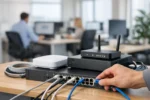
The cleanest small business network setup starts at the internet connection and moves inward. Your internet provider brings service to the modem or gateway. From there, a business-grade firewall/router controls traffic entering and leaving the network. Managed switches connect wired equipment, while dedicated wireless access points cover the office with dependable Wi-Fi.
For a typical office, use wired connections wherever reliability matters most. Desktops, printers, phones, servers, network storage, conference-room equipment, and cameras should generally be wired. Wi-Fi is ideal for mobile devices and flexible work areas, but walls, metal shelving, elevators, refrigeration equipment, and neighboring networks can affect performance.
Choose Business-Grade Equipment
Consumer networking gear is designed for light household use. It may be inexpensive, but it can lack centralized management, useful security controls, traffic monitoring, automatic firmware updates, and the ability to separate business systems properly.
Business-grade equipment costs more upfront, yet it gives you better control when something goes wrong. You can see which device is consuming bandwidth, shut down a suspicious connection, add a new employee without sharing passwords, and replace equipment without rebuilding the entire office from scratch.
Look for a firewall/router with intrusion prevention, virtual private network capability, content controls, and support for multiple network segments. Use managed switches if you need to separate systems or power access points, phones, and cameras through Ethernet. Choose access points based on coverage and device density, not the biggest speed number printed on the box.
Plan for Coverage Before Mounting Access Points
One powerful access point at the front desk may not serve a full office, warehouse, restaurant, or medical suite. Wi-Fi signal weakens through concrete, brick, glass, dense walls, and even large filing cabinets. Dead zones create frustrated employees and unsafe workarounds.
A proper site review identifies where access points should go, how they will be wired, and whether ceilings or wall locations are practical. More access points are not automatically better. Poor placement and overlapping signals can create interference. The goal is consistent coverage where staff and customers actually work.
Separate Business Traffic From Guest Traffic
Your staff should not share a network with every visitor who asks for Wi-Fi. Guest access is good customer service for many businesses, but it must be isolated from business devices. Guests should be able to reach the internet, not your printers, cameras, shared folders, registers, or office computers.
Create separate network segments, often called VLANs, for at least staff devices, guest Wi-Fi, and sensitive systems. Payment terminals, cameras, and network storage may need their own segments as well. This limits the damage if a guest device is infected or if a weak smart device is compromised.
Use clear names that employees can recognize, such as Company Staff and Company Guest. Do not label sensitive networks with details that advertise their purpose. Strong wireless encryption and long, unique passwords are required, but passwords alone are not a security plan. Turn off outdated security protocols, change default administrator credentials immediately, and keep firmware current.
Protect Data With Layers, Not Hope
A firewall is a front door, not an entire security department. Small businesses are frequent targets because attackers expect weak passwords, outdated software, and no recovery plan. Ransomware does not care whether your company has five employees or five hundred.
Require unique passwords and multi-factor authentication for email, cloud software, remote access, and administrator accounts. Give employees only the access they need to do their jobs. A receptionist should not have the same permissions as the person managing payroll or financial records.
Backups need special attention. A file stored only on a computer, server, or office network is not fully protected. Keep encrypted backups that are separated from the main environment, test them regularly, and confirm that you can restore individual files as well as an entire system. The first time you test a backup should not be after a virus has encrypted your records.
Every computer should also run managed endpoint protection, receive operating system updates, and be monitored for suspicious behavior. A slow machine, strange pop-up, or unfamiliar login alert is not something to ignore until next week. Stop using the affected device and get qualified help before the problem spreads.
Make Remote Access Controlled and Accountable
Remote work can be productive, but opening remote desktop access directly to the public internet is asking for trouble. Employees who need office files or systems should use secure, managed remote access with multi-factor authentication. Access should be assigned by person, not shared through a generic office login.
Decide which services genuinely need to be reachable from outside the office. Most do not. The fewer doors you leave open, the fewer opportunities attackers have to find one. Review access when an employee changes roles or leaves the company, and remove accounts immediately when they are no longer needed.
Document the Network Before You Need Emergency Help
When the internet fails at 4:45 p.m., nobody wants to hunt for passwords, equipment locations, or provider account numbers. Keep a secure record of the network layout, device names, admin access, ISP details, warranty information, and backup procedures. Label cables and ports clearly. It may seem minor during installation, but it saves expensive time later.
Set up monitoring and maintenance as part of the plan. Firmware updates, backup checks, security reviews, wireless performance tests, and equipment replacement schedules should not happen only after an outage. Hardware has a service life. An aging router or switch may keep working right up until the day it does not.
Know When to Call the Experts
A single-room office with a few devices may be manageable with careful planning. Once you add staff, sensitive information, cameras, VoIP phones, multiple access points, remote users, or payment systems, the risks rise quickly. Cheap installation can become costly downtime, exposed data, and a network that nobody can properly support.
For Long Island businesses, VIA Media Group can design, install, secure, and maintain the network behind your daily operations. The right setup should be quiet, fast, and forgettable because it simply works. Put professional planning in place now, then let your team focus on customers instead of restarting the router.









